
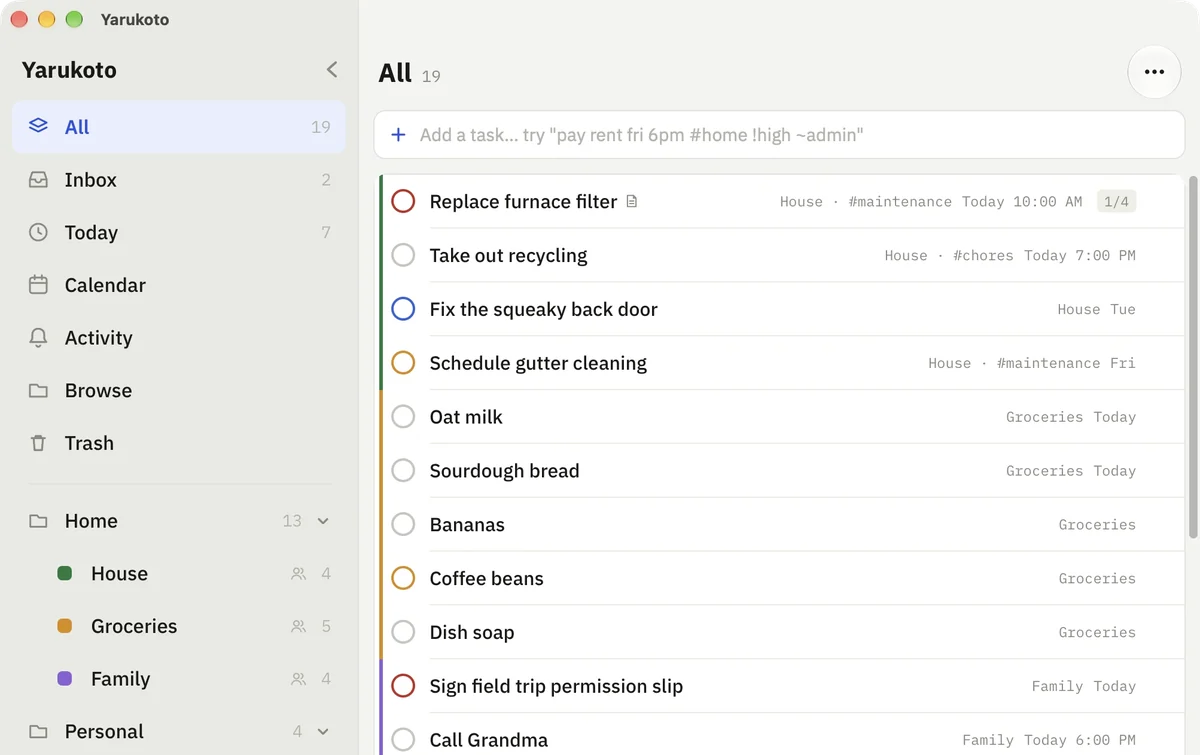
Yarukoto
A self-hosted todo app. One container, one SQLite file, your data on your own server.
The server serves both the API and the web client, so a single docker compose up gives you
a working instance. The same codebase builds the iOS, Android and Mac apps via Expo.
Features
Section titled “Features”- Lists and folders — group tasks into lists, lists into folders.
- Smart views — All, Today, Upcoming, Inbox, plus per-list and per-tag filtering.
- Plan and Calendar views — day, 3-day, and week layouts, with a month grid above for jumping around. Drag a task onto a day to reschedule it.
- Quick add with natural syntax —
pay rent fri 6pm #home !high ~adminparses the due date and time, the#tag, the!priority, and the~list. Anything unrecognized stays as the title. - Subtasks, Markdown notes, tags, priorities, due dates and times. Notes have a formatting toolbar and a native preview for headings, lists, quotes, links and code.
- Real URLs on the web — every view is an address (
/today,/inbox?listId=…), so a reload stays where you were, Back retraces the views you visited, and a filtered list is a link you can bookmark. - Per-view grouping and sort — each view keeps its own arrangement, synced with everything else, so a list set to group by tag and sort by priority looks that way on every device.
- Trash — deleting is a soft delete. Restore from Trash, or delete forever. The server hard-deletes anything left there past its retention window.
- Task history — every change writes a full snapshot server-side, capped per task. The Activity tab shows recent changes, and opens or restores the task behind each one.
- Offline-tolerant sync — the UI never waits on the network. Local changes queue in an outbox and push on the next cycle, so the app stays responsive when the server is unreachable. A dot at the bottom of the sidebar reports the real state: synced, syncing, changes pending, offline, or a rejected token.
- Sample data mode — try the whole app with seeded data, no server required.